
I didn’t see any many galaxy/nebula brushes floating around, so I made my own! (ノ◕ヮ◕)ノ*:・゚✧*:・゚✧ Hope someone find it helping ;v;
You have to add detail and effect by self, but it’s pretty easy!! Maybe I make tutorial on it later ;v;
I suggest detail and blend layers on luminosity or addition!! Use bright colours!
FOR BLENDING:
I suggest using a watercolour brush on following sets:
Size: 26.0
Min size: 60%
Density: 100%
Spread: 50%
(No Texture)
Blending: 50
Dilution: 50
Persistence: 80
Keep opacity: yes
Smoothing Prs: 50%
+Advanced Settings:
Quality: 2
Edge Hardness: 0
Min Density: 0
Max Dens Prs: 100%
Hard <-> Soft: 100
Dens: Yes Size: Yes Blend: Yes
FOR DETAILING:
I suggest using a brush on the following sets:
Size: 100.0
Min size: 3%
Density: 54%
Spread: 100%
(No Texture)
Blending: 49
Dilution: 0
Persistence: 80
Keep opacity: no
+Advanced Settings:
Quality: 2
Edge Hardness: 0
Min Density: 10
Max Dens Prs: 49%
Hard <-> Soft: 0
Dens: Yes Size: Yes Blend: No
Tag: art
… AND THAT IS THE WAY I MAKE FIRE! Simple and messy “how to gry”.
I will add quick smoke tutorial / step by step too Just wait. o/EDIT: Sorry for small images >8C I am not good with tumblr image sizes and I have never understood them. But by copying the image URL you can see bigger sized images!
art resources, fire
Awesome! thanks grypwolf
Um, hi! I was wondering if you could do a mini tutorial on how to colour clouds? (You don’t have to do this uvu) I really love your word, I’m inspired by it!
i got multiple questions about this, so i’ll just answer it on this ask
sorry i kept putting it off for so long…
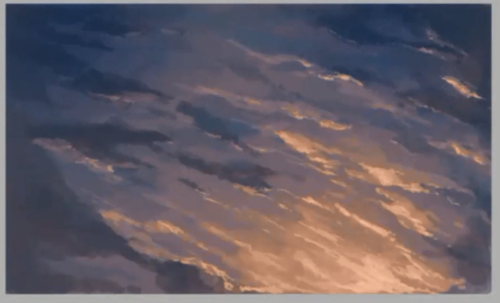
so… i guess i would think of what kind of sky i would want
i like sunsets, so i’ll draw that
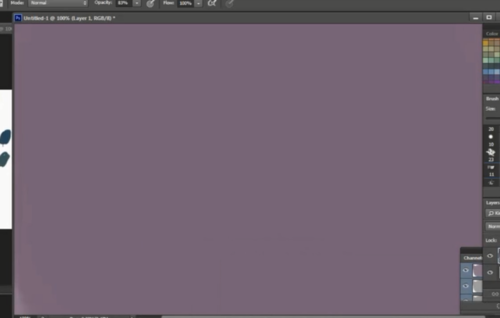
so i start with the very back color; it’s a dull purple
my intent is to go from purple/dark grey->peach/pink
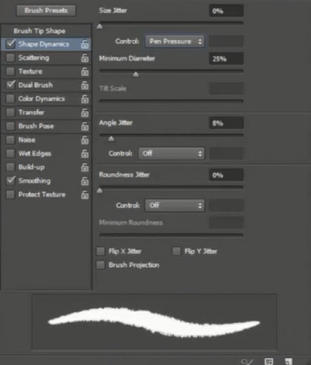
i like to use this fuzzy brush
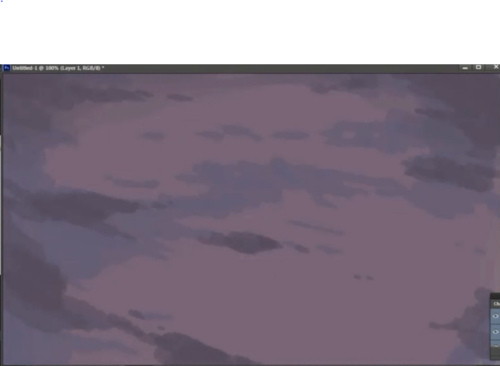
not sure what to call these… the ‘back’ / ‘dark’ clouds?
i put on random splotches at 40~50% opacity of dark blue around the edges
i’m going to put my light source at the bottom right, so i put a rusty orange color slightly at 10~20% opacity
then i blended the colors before i started to add more colors
the more you blend, the better the picture will look 8)
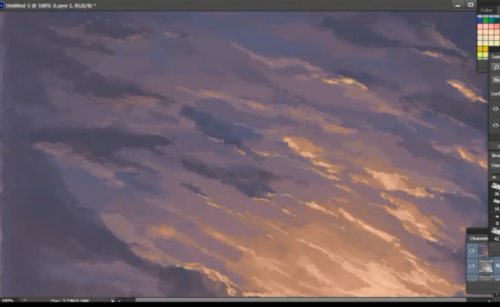
now i put my pen at around size 8-10 to put in thin areas of peach/gold where the light will hit at around 60% opacity
color it where ever you think it looks good
i like to adjust my colors and edit on sai
on an overlay layer on top of the drawing, i airbrushed so dark blue in at the top left and right
then near the end i like to use the combination of lower brightness and higher contrast
i’ll put a video later since my explanation is horrible most of the time…
sorry i put the drawing sideways… it wouldn’t fit
try these drawings for reference…
maybe use the eyedropper and use colors from these?
hope that helps
this is for the multiple color asks received


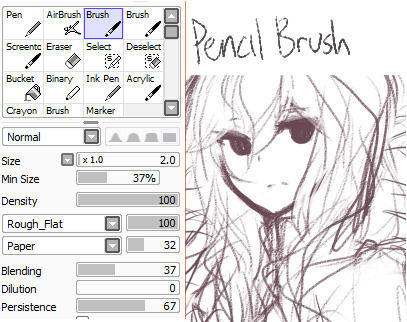
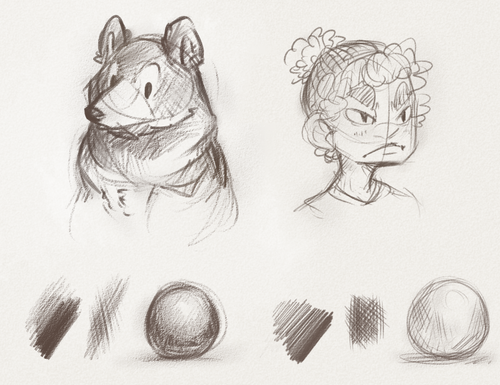
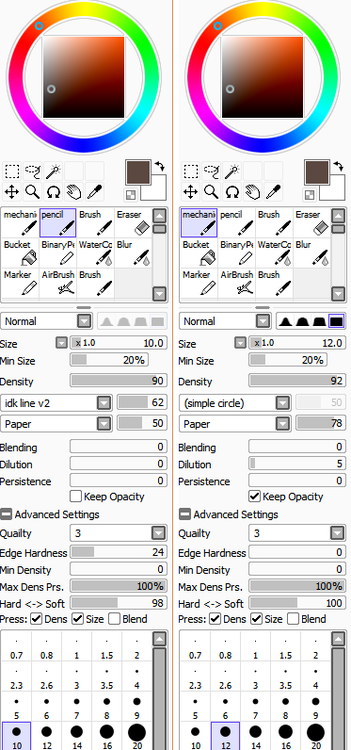
Paint tool SAI Masterpost
Okay so someone i follow lost all of her custom brushes so i made a masterpost for anybody who needed it
First i have some links:
And now full pictures i found in google a looong time ago:
And last a blog with a bunch of these:
http://ptsbrushes.tumblr.com/ (though it doesn’t update much)
erhmm…yep that’s about it
enjoy!





雨好きじゃないけど綺麗だなーと思います。
Part1…
Exercise 26: Shading Gems Results
Check out the results of our Shading Gems exercise here along with the explanation to create your own HERE!I love this tutorial SO MUCH.
AAAAAAAAH!!!!!!
Trakoclock asked:
Hey, if you don’t mind sharing, I’ve always wondered how you got that soft celling look on your characters in your comic. Any tips? I’m currently working on my own comic and I kind of want to go for a less harsh form of cell shading. Thanks!A couple people have asked about the way I color things and I’ve been meaning to post a tutorial on it :]. I’ve never been too good at describing my process, but I hope this helps!
the single greatest cloud brush I’ve worked with so far oh my god
just adjust opacity and size depending on how crisp lines you want
this shit took like 10 minutes


 lanablack